If an employee is not receiving email notifications, it could be that they have not verified their email within Threads.
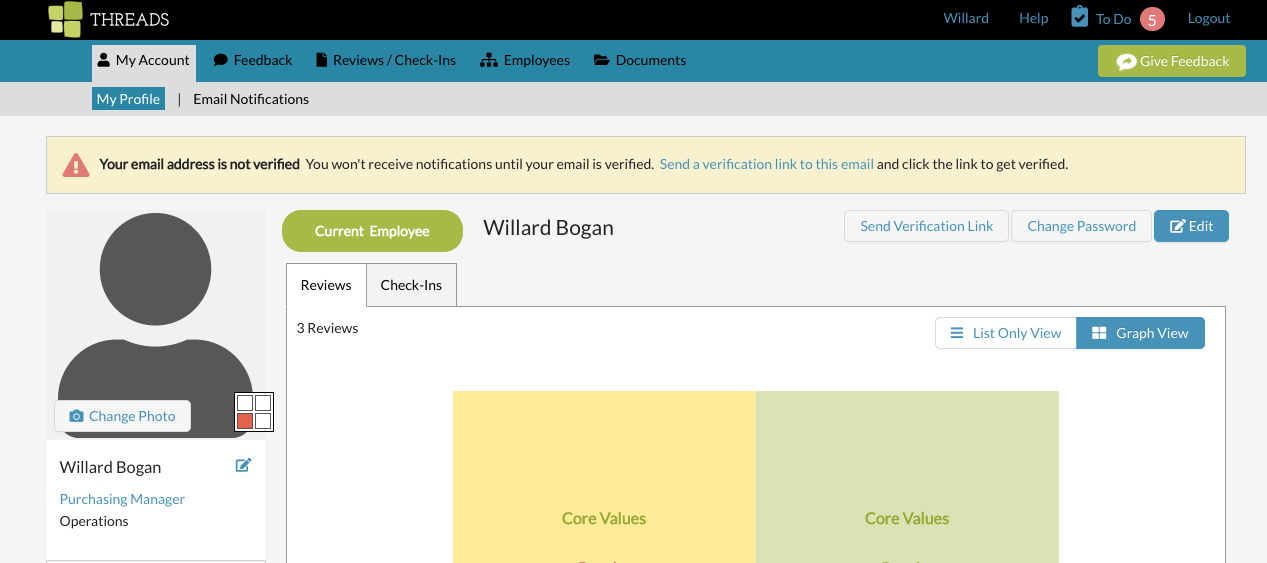
If you have not verified your email, log in and go to My Account / My Profile. Then, in the yellow message at the top, click on "Send a verification link to the email". You will then receive an email that you will click within to verify.
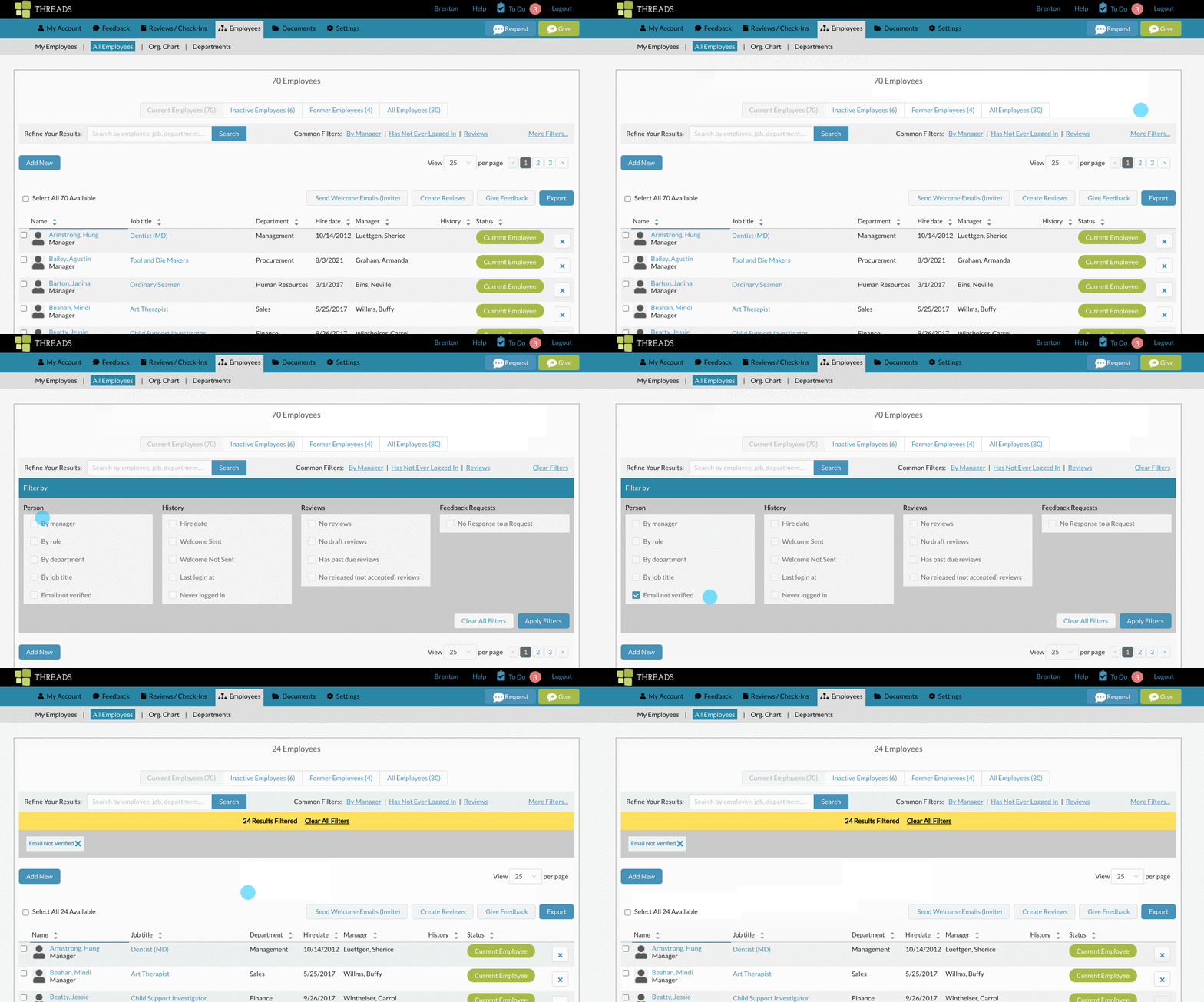
To see who has yet to verify their email, go to the All Employees list.

Once on the employee list, go the filters and select "Email Not Verified". You will then get a list of employees who have yet to verify their email address.
They will need to either have a new welcome email sent and click on the log in button.
See also:
0 Comments