As an admin, you can turn on and off certain email notifications for your organization.
Go to the "Settings" in the main navigation.

Once there, go to "Company Settings".

And then on the left hand side, select "Notifications".

You will then see a list of all of the notification emails that get sent to users. Each notification email is listed with the types of users that receive that email listed in parenthesis. (Personal email options allow for users to be listed as "optionally")
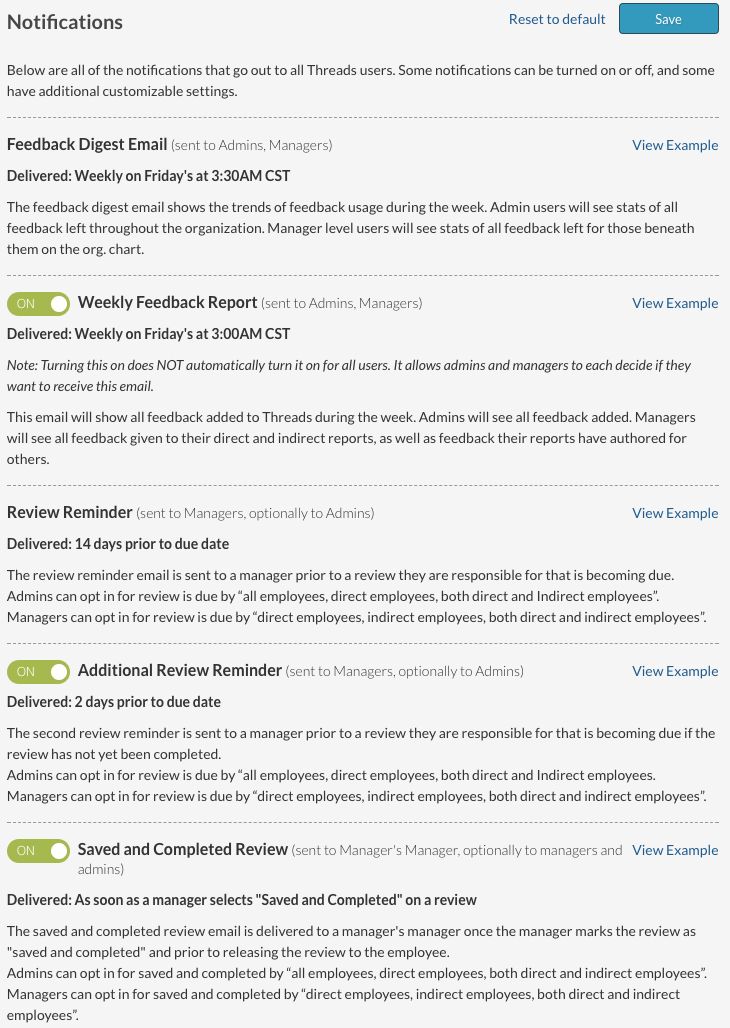
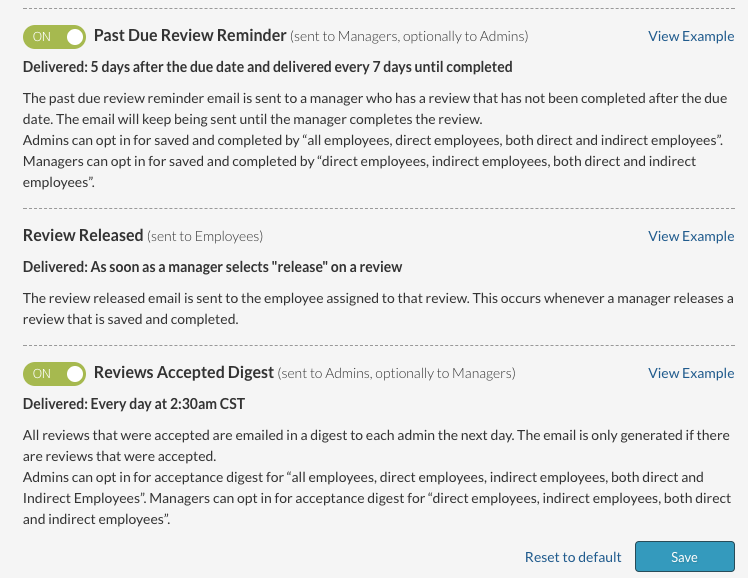
Each type of notification listed has an example you can look at by selecting "View Example".
To see what options are available to each individual user, look at the following help articles:
Personal Email Notifications (Employees)
Personal Email Notifications (Managers)
Personal Email Notifications (Admins)
Also see:
Why am I not receiving email notifications
For any questions on email notifications, please contact us at support@threadsculture.com.
0 Comments