As an admin, you can export check-in data several ways.
First, go to Check-Ins in the main navigation. Then, click on the collection name you'd like to export. On the assigned / manage tab, click the "export" button.
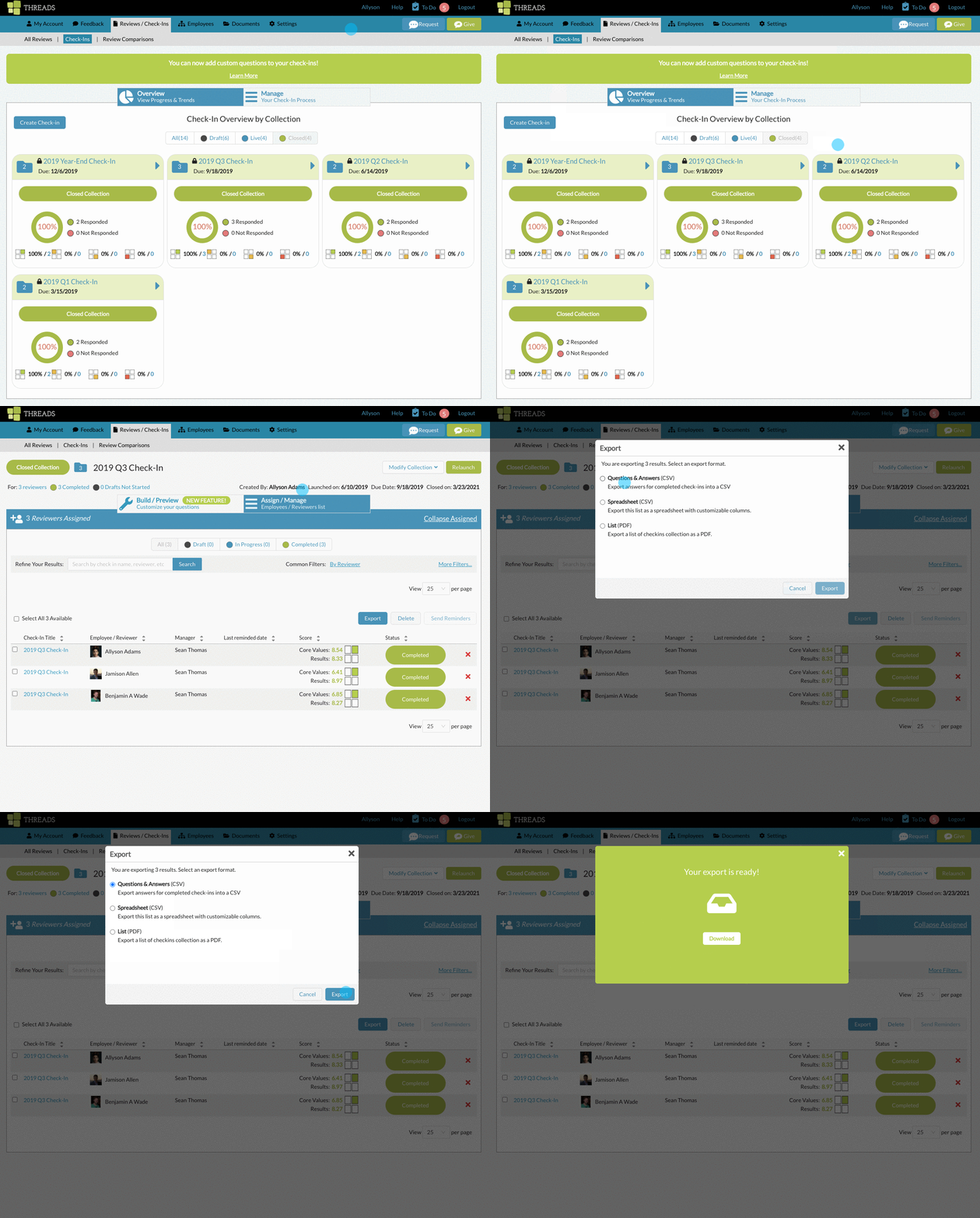
You will have 3 options:

Questions & Answers (CSV):
This will show only completed responses to all questions within your check-in. It will also show the question, question format, and wether the question was required.
Spreadsheet (CSV):
This will show all the data for the check-ins (minus the question and answers).
List (PDF):
This will show just the title, employee / reviewer, manager, last reminded date Core Values Results Score (if applicable) and status.
See also:
0 Comments