As a manager, you can track all the feedback requests that you have created.
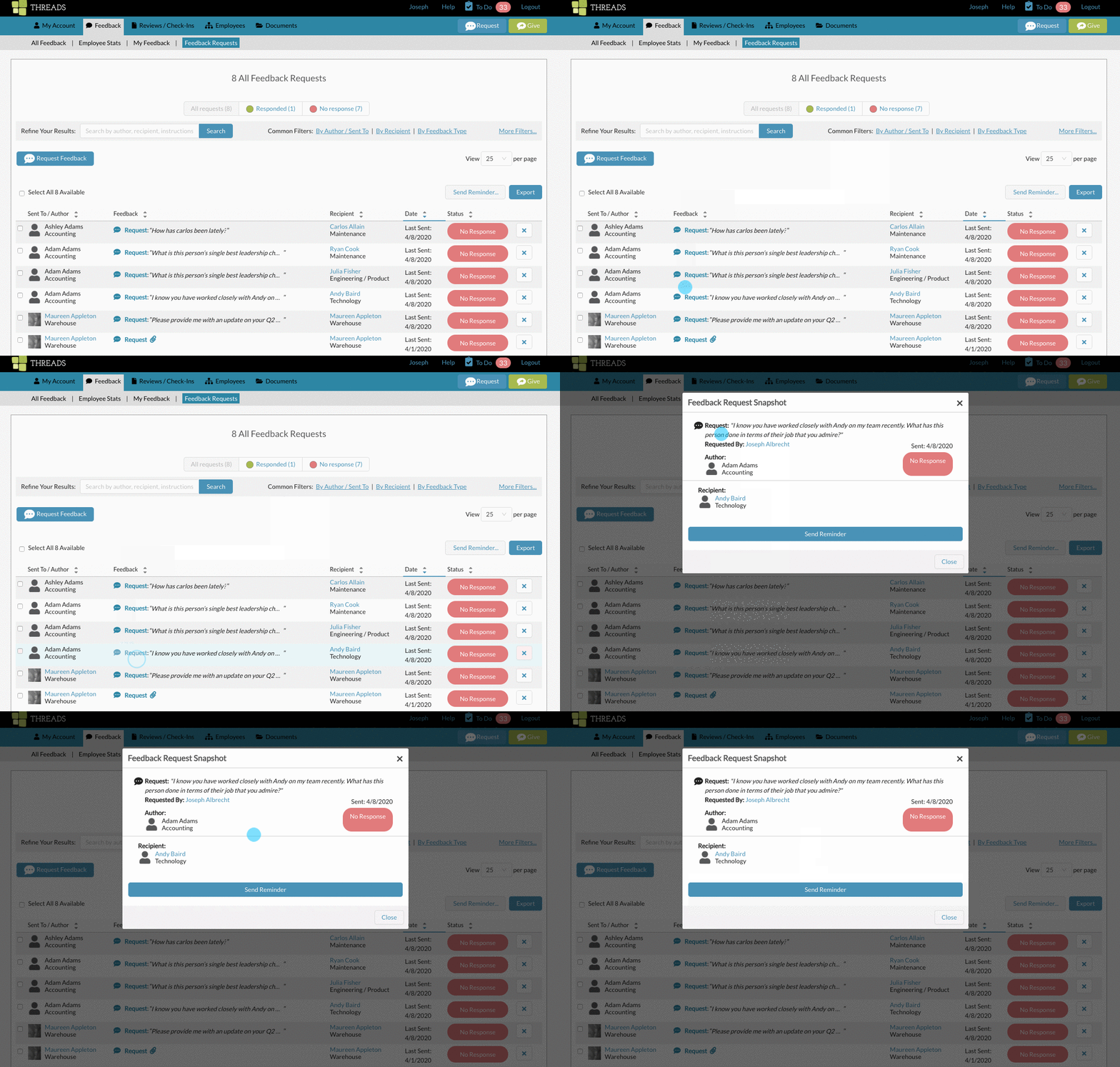
Within the main navigation, click on "Feedback" and the "Feedback Requests".

You will be able to toggle between "All Requests", "Responded" and "No Response".

Each request listed will show the following information:

Sent to / Author: Shows who was asked to complete the feedback request
Feedback: Shows the feedback request instructions and if any attachments were included in those instructions. (Click on the word "Request" to see the feedback request details)
If the request has been responded to, the feedback provided by the author will also appear here, with any attachments they may have provided to the feedback.
Recipient: The name of the person the feedback is to be about.
Date: For a responded to request, the date of the response displays here. For a request that has not been responded to yet, the date the request was last sent (or reminder was sent) displays here.
Status: Shows wether the feedback request has been responded to or not.
Delete: You can delete any request that has NOT been responded to yet.
For more help, see "How to Send Feedback Request Reminders" and "How To Create A Feedback Request"
0 Comments