As an admin user in Threads, you can create a feedback request to ask any user within your organization to give specific feedback.
To begin, select the blue "Request Feedback" button on the top right of the screen within Threads.

Currently, you can only request feedback from one person at a time.

Begin typing the person's name, and then select them from the list.

Next, you will then be able to select WHO the feedback should be about.
Click on the drop down to see the following options:

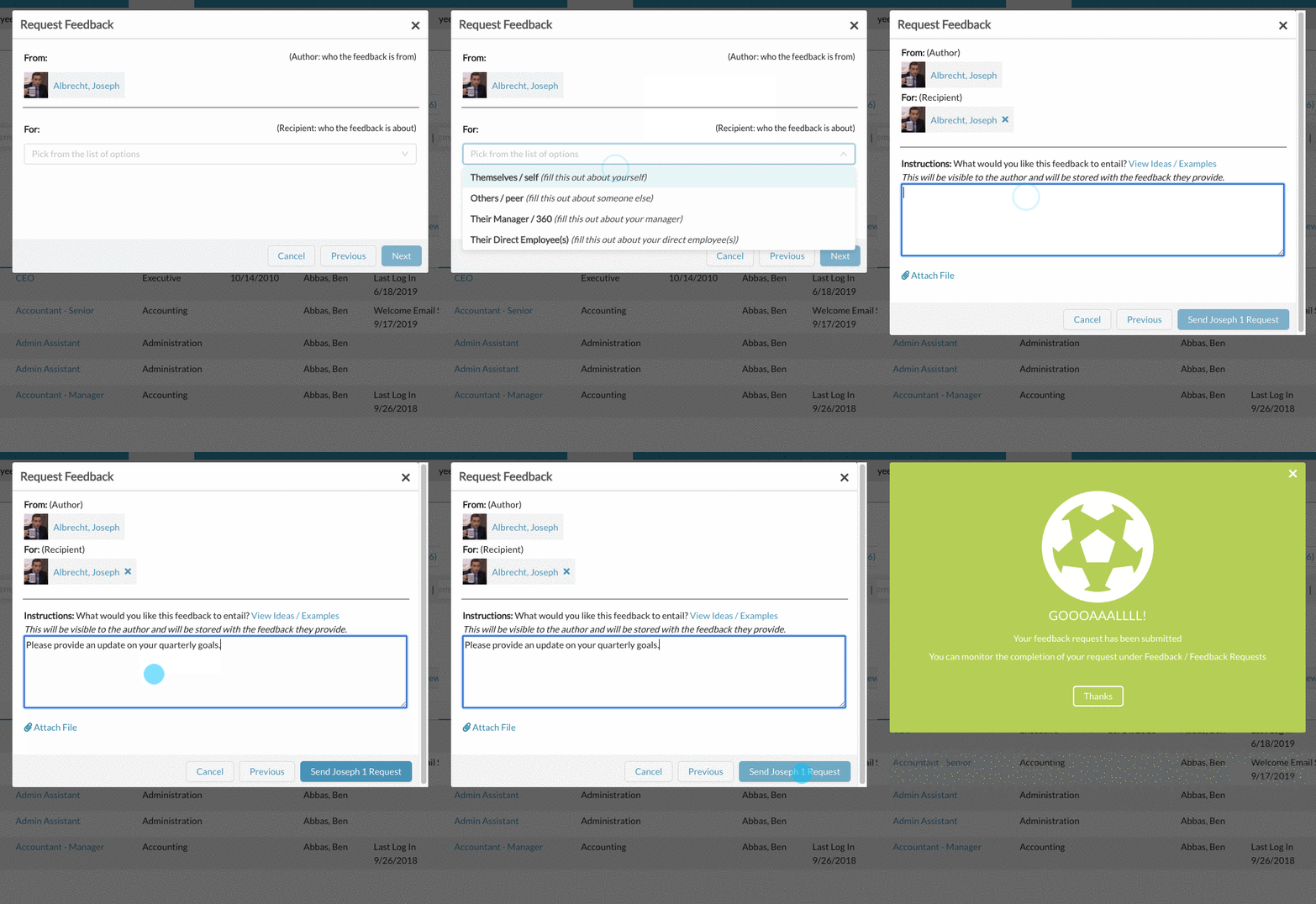
Themselves / self: With this option, the author will be asked to provide feedback on themself.
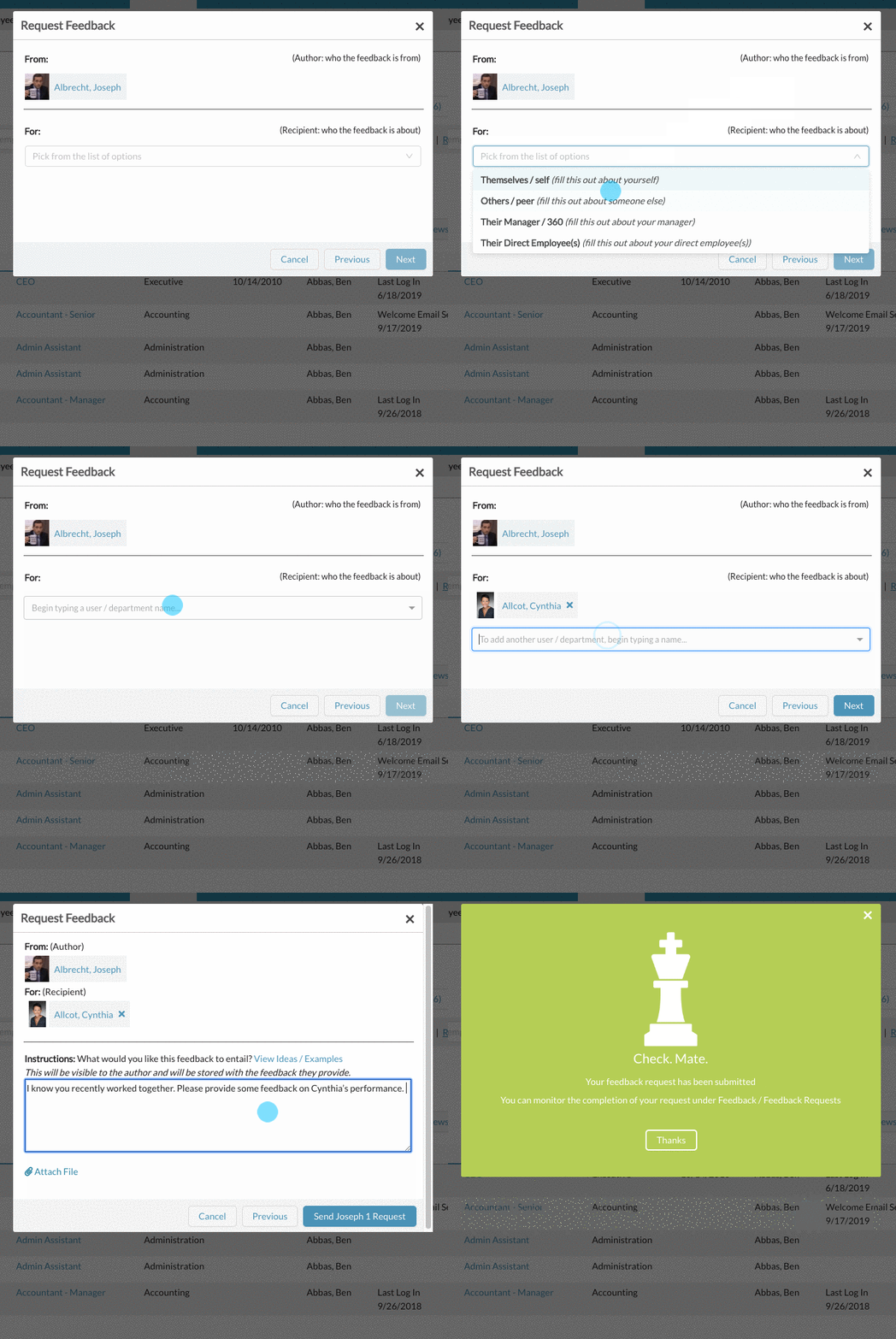
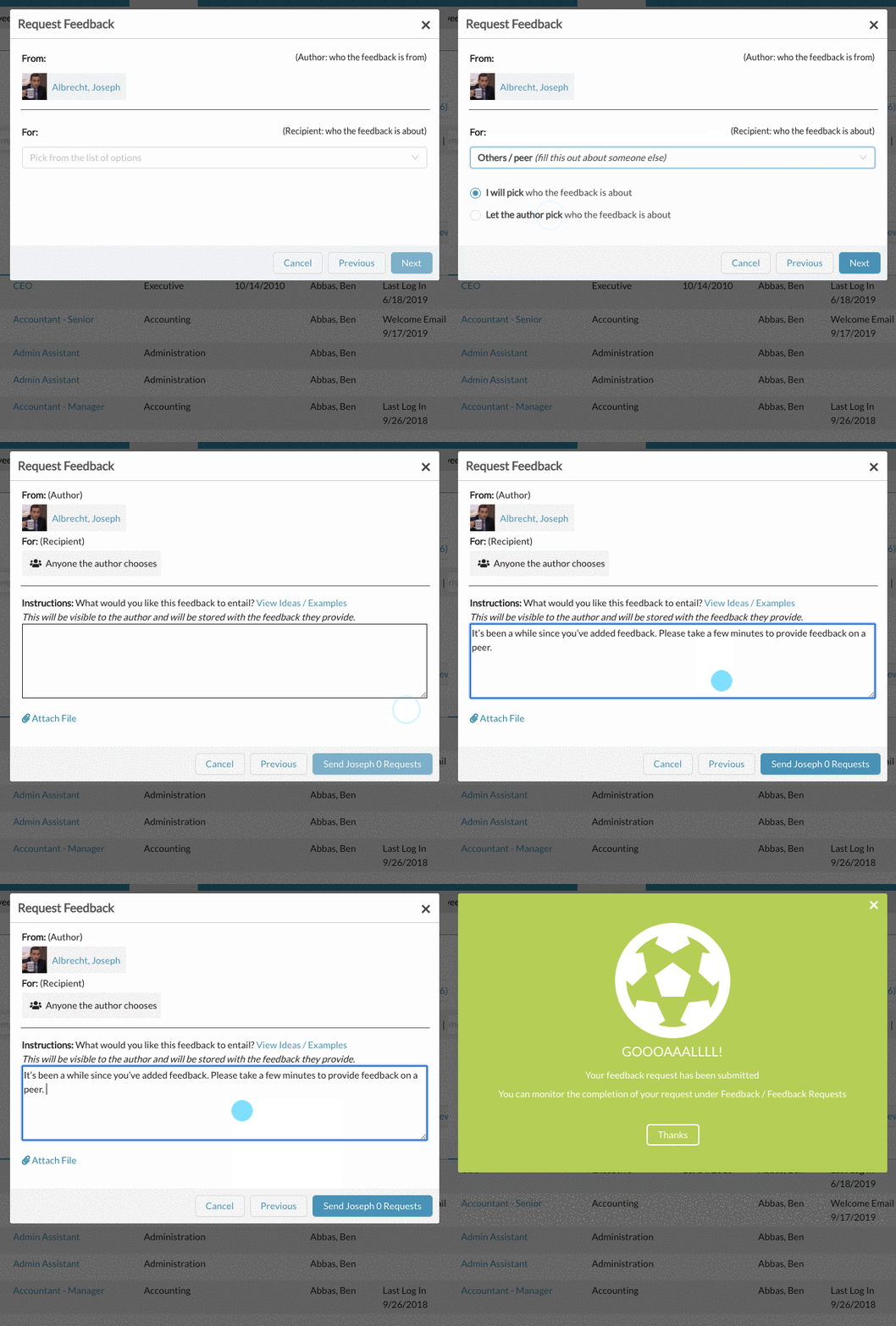
Others / peer: With this option, the author will be asked to provide feedback on someone else (you can identify them, or you can allow the author to choose whomever).
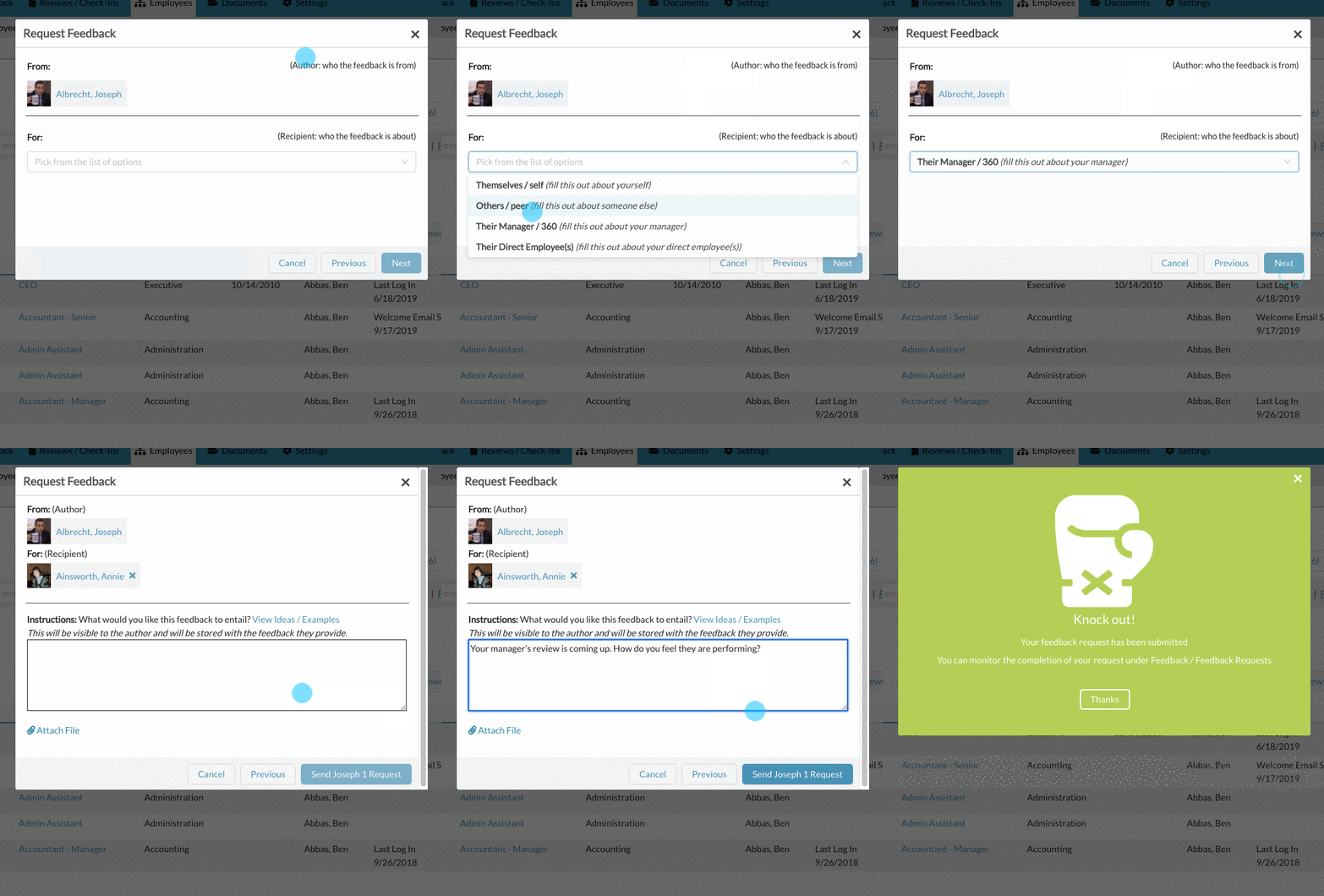
Their Manager / 360: With this option, the system automatically identifies the author's direct manager, and asks them to provide feedback on their manager.
Their Direct Employee(s): This option is only available if the author you selected in the first step has direct reports. With this option, the author will be asked to provide feedback on each of their direct employees.

When adding your custom instructions, you can also choose to include an attachment. This attachment will be available for the user to reference and download when fulfilling their feedback request. For ideas / examples of feedback request instructions, click here.

Once you successfully send the feedback request, the author you selected will be emailed the instructions and any attachments you have provided. The author will also have an alert show up in thier to do list to complete the feedback request.

Also see, How to track Feedback Request Completion and How to Send Feedback Request Reminders
0 Comments