As a manager, you can accept a review on behalf of you employee.
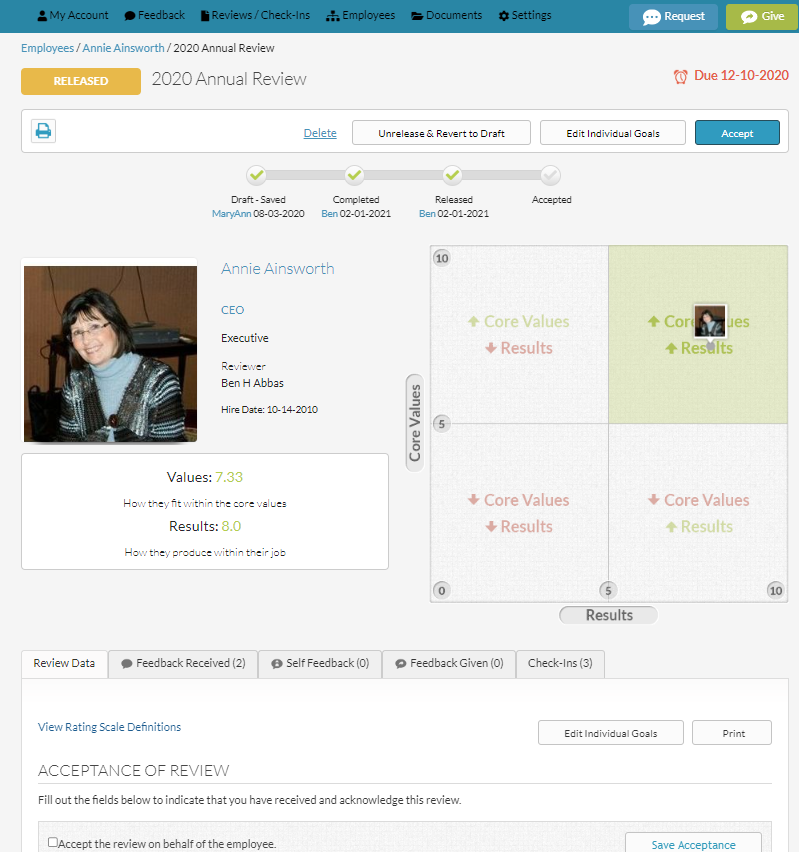
Once the review has been "Released", the acceptance area appears within the review under the "Review Data" tab.
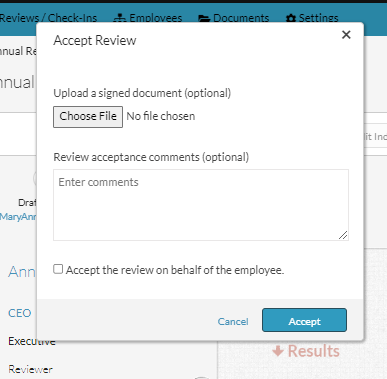
You can upload a signed printed version of the review if you like by selecting "Choose file" and uploading.
You can also add any comments to the acceptance in the text box.
To accept, check the checkbox on the left of the copy "Accept the review on behalf of the employee" and then select the "Save Acceptance" button on the right.
CONGRATS! The review is now COMPLETE!
If you accidentally accepted it, you need to ask an admin user to "un-accept" the review for you.
0 Comments