As an admin, you can export information about employees.
Exporting Information About Current Employees
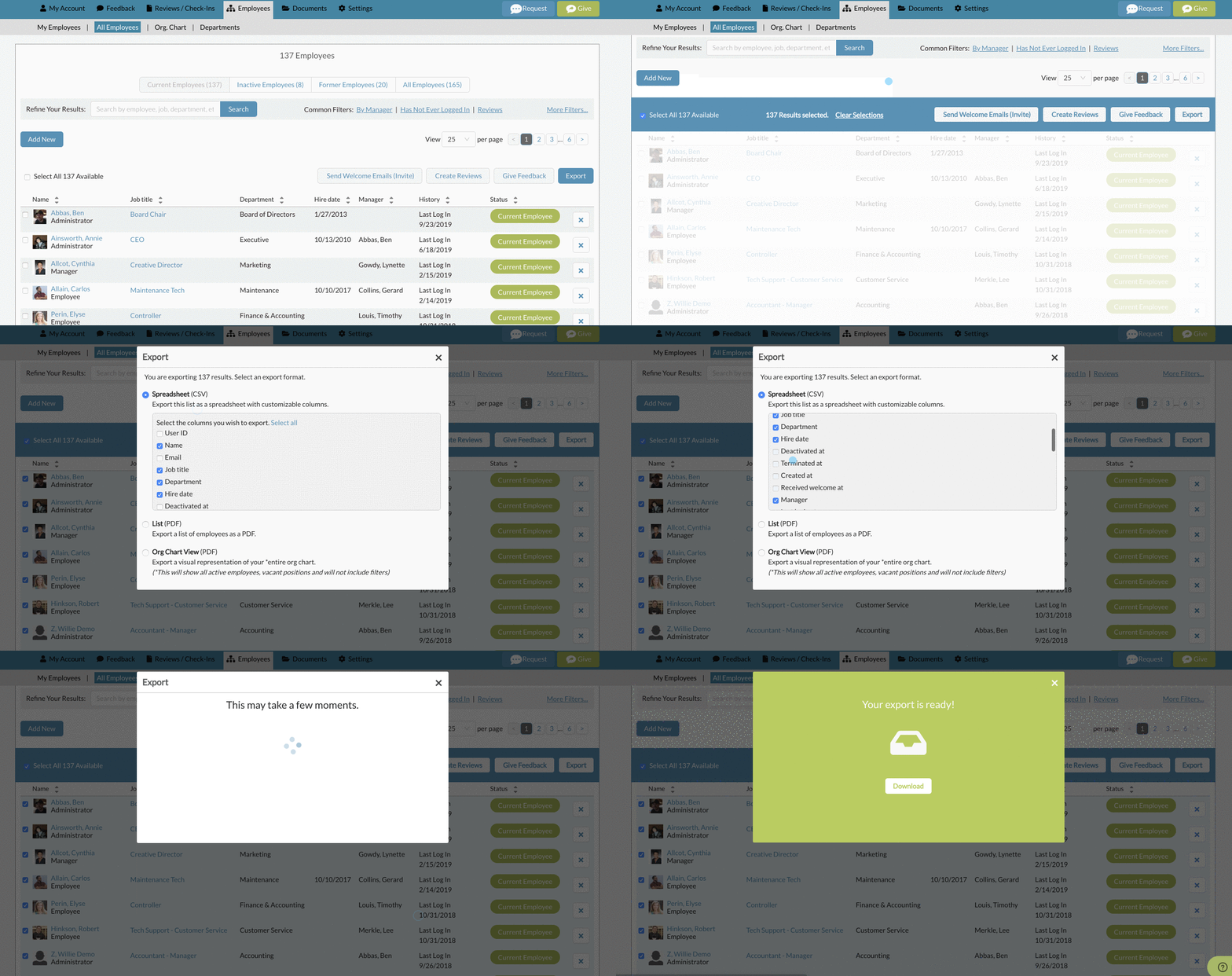
Go to the "All Employees list under "Employees" in the main navigation. Once there, select the current employees tab. You can select all employees by selecting the check box on the top left. Then select the export button on the top right. You can then decide between a CSV or a PDF.
CSV Option:
The CSV allows you to pick and choose which pieces of data you would like. You can also drag and drop each to the order you would like your columns to appear in the CSV file.
List PDF Option:
The PDF option includes a predetermined set of data.

Org Chart PDF Option:
The Org Chart PDF option shows your org chart in Threads in a printer friendly view.

Exporting Information About Inactive Employees
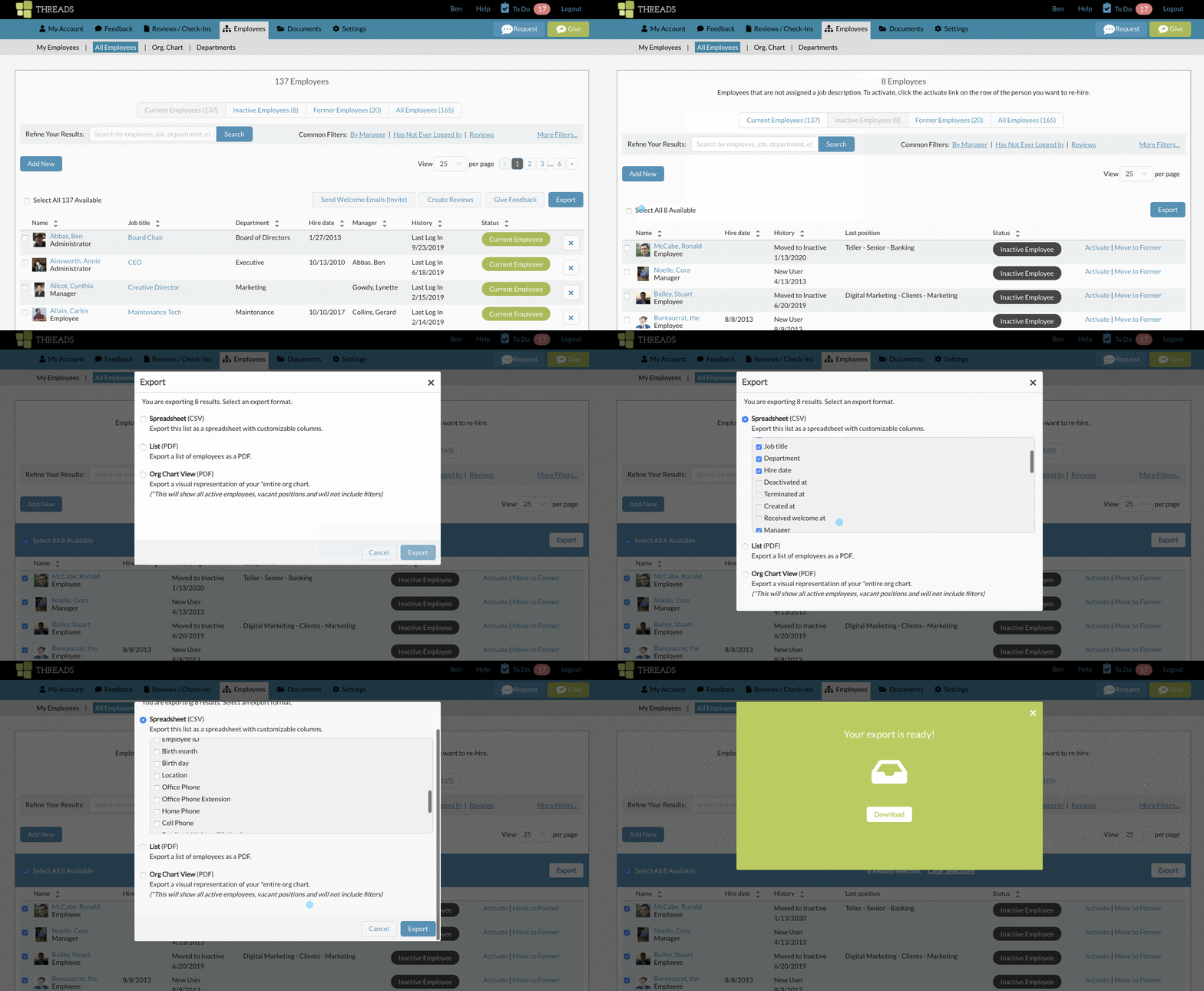
Go to the employee list under the list icon in the main navigation. Once there, select the inactive employees tab. You can select all employees by selecting the check box on the top left. Then select the export button on the top right. You can then decide between a CSV or a PDF.
CSV Option:
The CSV allows you to pick and choose which pieces of data you would like. You can also drag and drop each to the order you would like your columns to appear in the CSV file.
List PDF Option:
The PDF option includes a predetermined set of data.

Exporting Information About Former Employees
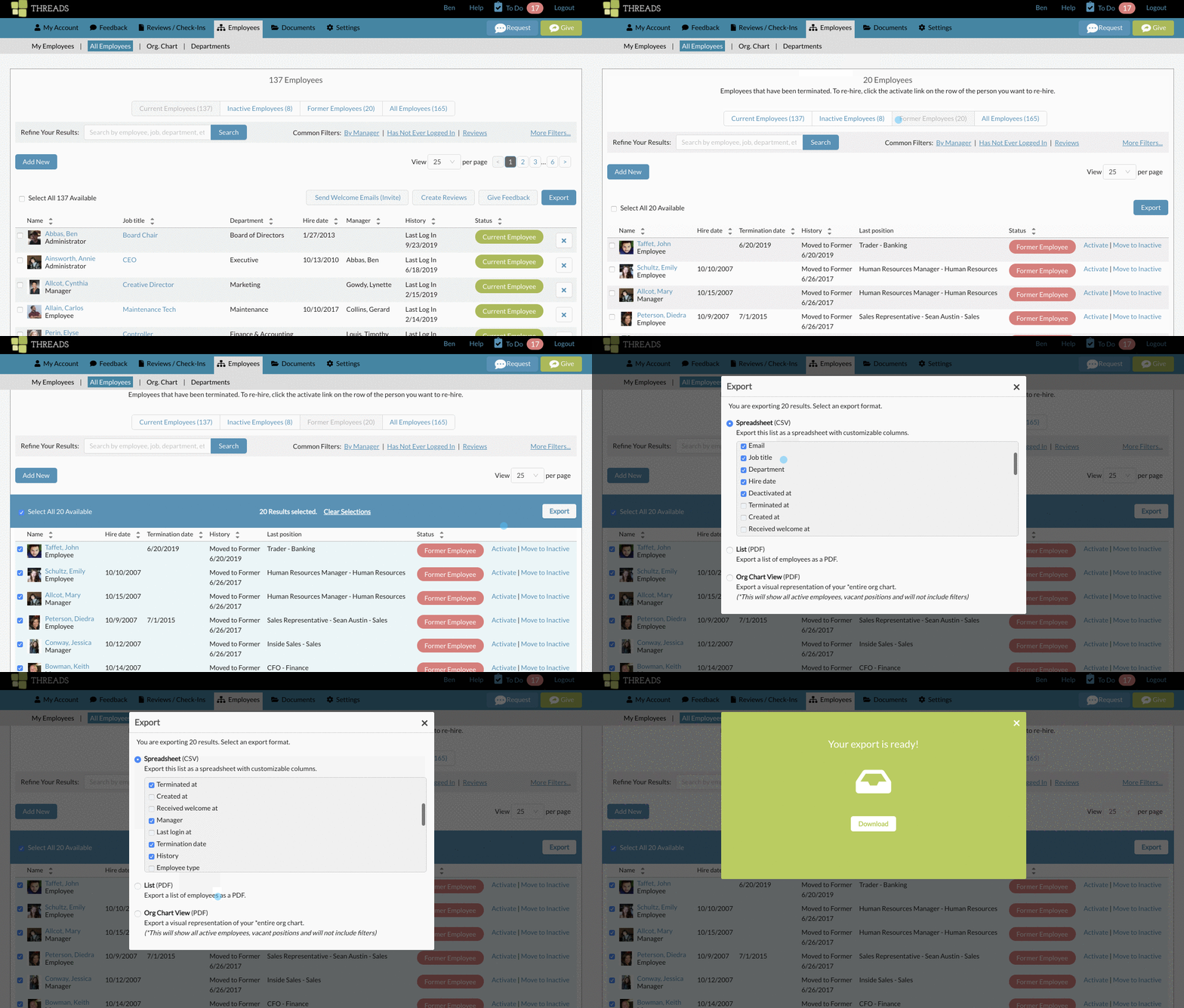
Go to the employee list under the list icon in the main navigation. Once there, select the former employees tab. You can select all employees by selecting the check box on the top left. Then select the export button on the top right. You can then decide between a CSV or a PDF.
CSV Option:
The CSV allows you to pick and choose which pieces of data you would like. You can also drag and drop each to the order you would like your columns to appear in the CSV file.
PDF Option:
The PDF option includes a predetermined set of data.

Exporting Information About Reviews and Feedback
See the following article, Exporting Review Data / Feedback / Scores
0 Comments