Threads offers a 30-day free trial of our Culture Review Software for all new customers. This post will show you the things you need to get started and walk you through the registration. It takes less than 5 minutes to register.
1. Click on "Sign-Up Free"
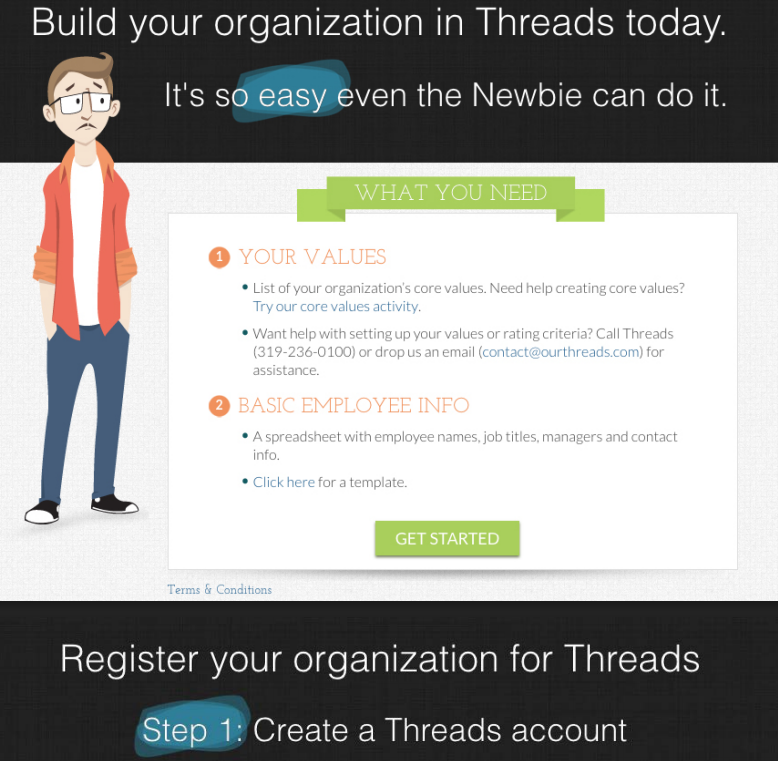
Visit www.threadsculture.com and click on the green Sign-Up Free button at the top of the screen (See screenshot below)

2. Getting Started
To make the most of your 30-day free trial, we recommend you have the following information available before registering for Threads:
1. Core Values. Your core values describe the characteristics and behaviors of every employee at your organization - regardless of position. Your organization's core values will be used as half of the formula for measuring your culture. When applied to all, core values will increase unity throughout.
No values = No Problem Threads Core Values Exercise will walk you through the steps of creating your set of core values. If a hands on experience is what you are prefer, then we suggest the Threads Core Values Workshop. Conducted onsite, the Core Values Workshop will walk you through the steps of establishing, enhancing and/or recommitting to, the core values of your organization. With the team(s) of your choosing, Threads will facilitate a hands on workshop, which will dive to the core of what makes your the company who you are. Once established, your core values will guide your organization in setting clear expectations to recognize, coach and/or hold accountable to your culture.
2. Employee Contact Information. You can upload your entire org chart using a CSV file. There is a template available for download on the Getting Started screen. Pictures files are also nice to have, but are not required during the set-up.
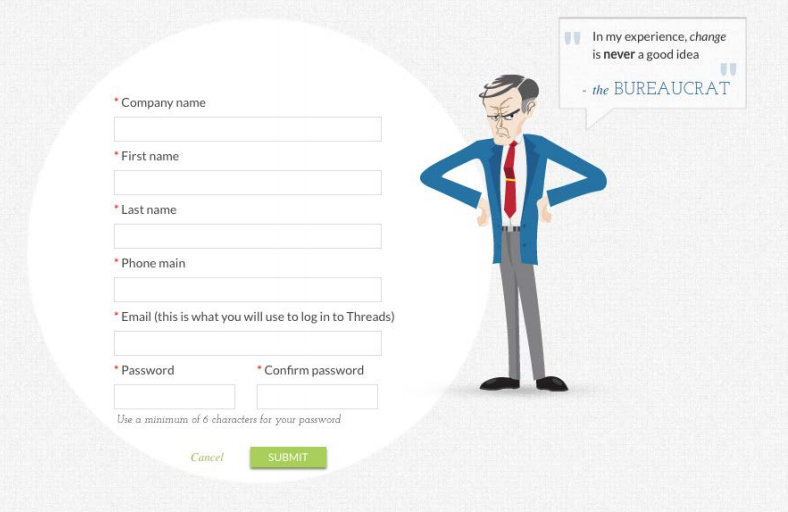
3. Enter Contact Info
Enter your company name as you want it to appear in Threads. Your contact information should be for the primary Admin User on your Threads account.
4. Select Your Set-Up Option
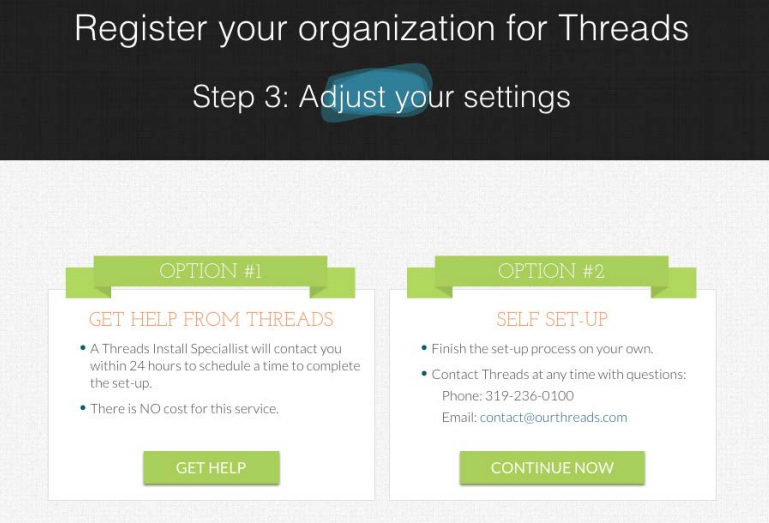
Option #1 - This Threads guided option will allow you to partner with our team, to populate your account. If selected, a Threads Install Specialist will reach out to you on the day you register, to begin the process of building your account, including creating org chart, profiles and criteria - all at no cost.
Option #2 - This Self Set-Up will allow you create your Threads account immediately.
Help Article: Self Set Up Instructions
Welcome Aboard!
0 Comments