As an admin, you can easily send reminders to those who still need to complete a self check-in.
Sending a reminder will trigger an email to that individual that they need to complete their self check-in.

An individual with an incomplete check-in will also have a To Do List notification that appears within their Threads account until they mark the check-in complete.

There are several ways to send reminders.
Send a reminder to everyone within your org who has self check-ins that are not completed:
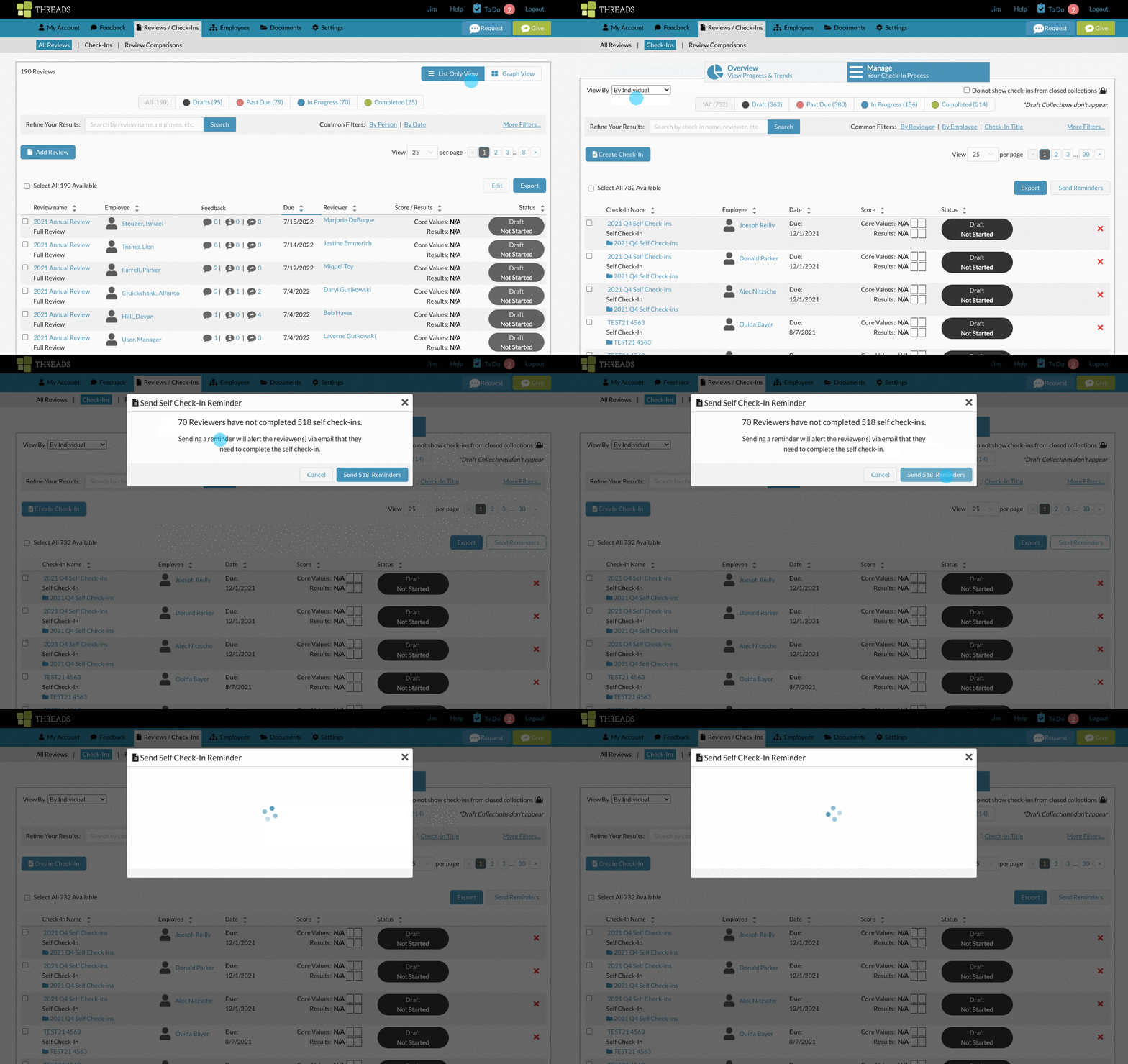
Go to "Reviews / Check-Ins" in the main nav, and then select "Check-Ins".

Click on the "Manage" tab at the top to view a list.

Make sure you are viewing the manage list "By Individual".

Then just click on "Send Reminders" on the right hand side.

Here's an animation of what this looks like.
Send a reminder to everyone within just a specific collection of check-ins.
To do this, switch to "View by Collection".

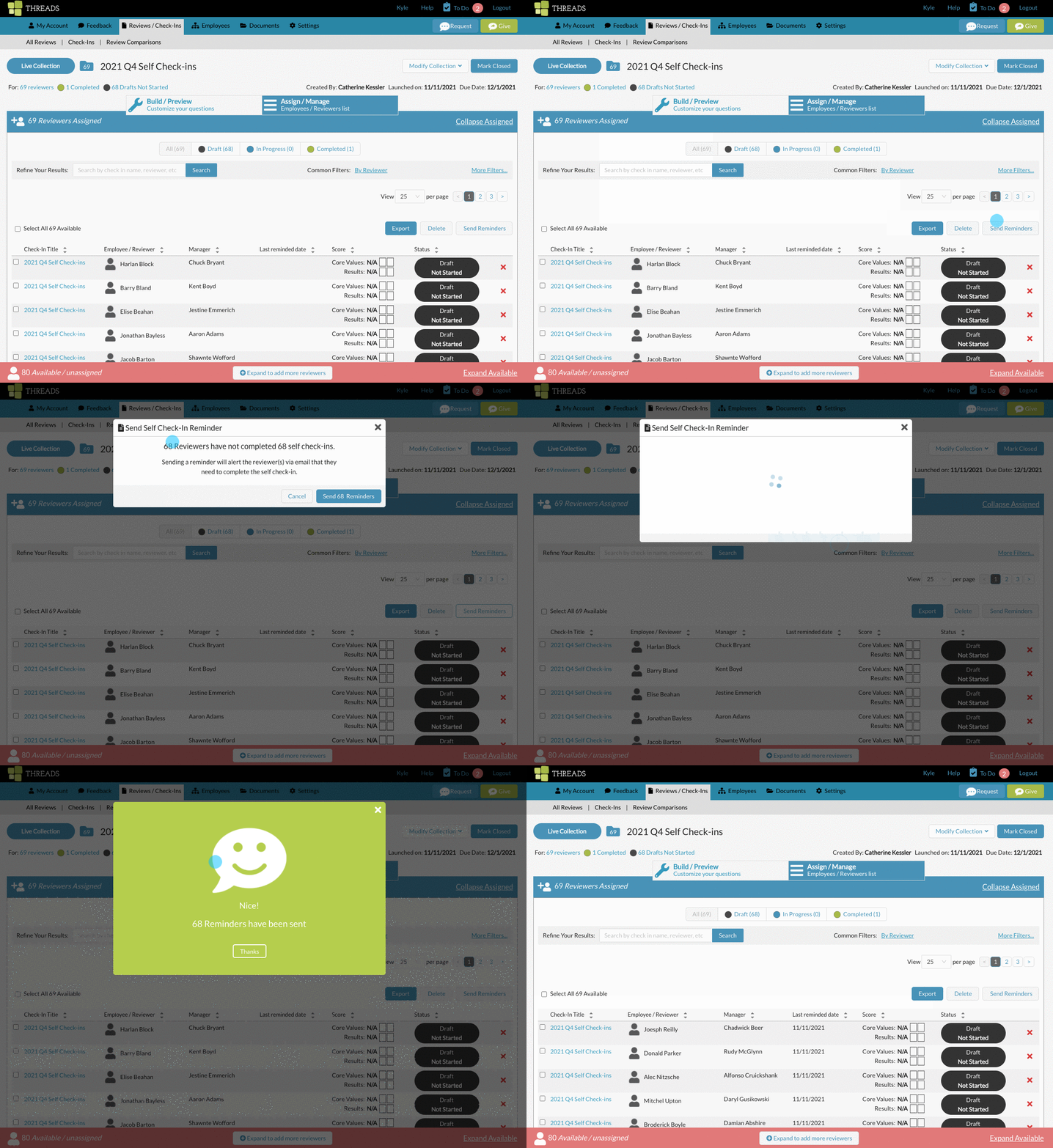
Click on any collection name to open the collection view.

From the collection view, click on the Assigned / Manage tab,

click on "Send Reminders"

This will automatically identify and select all the check-ins within that collection that have not been marked complete.

Here's an animation of what this looks like.
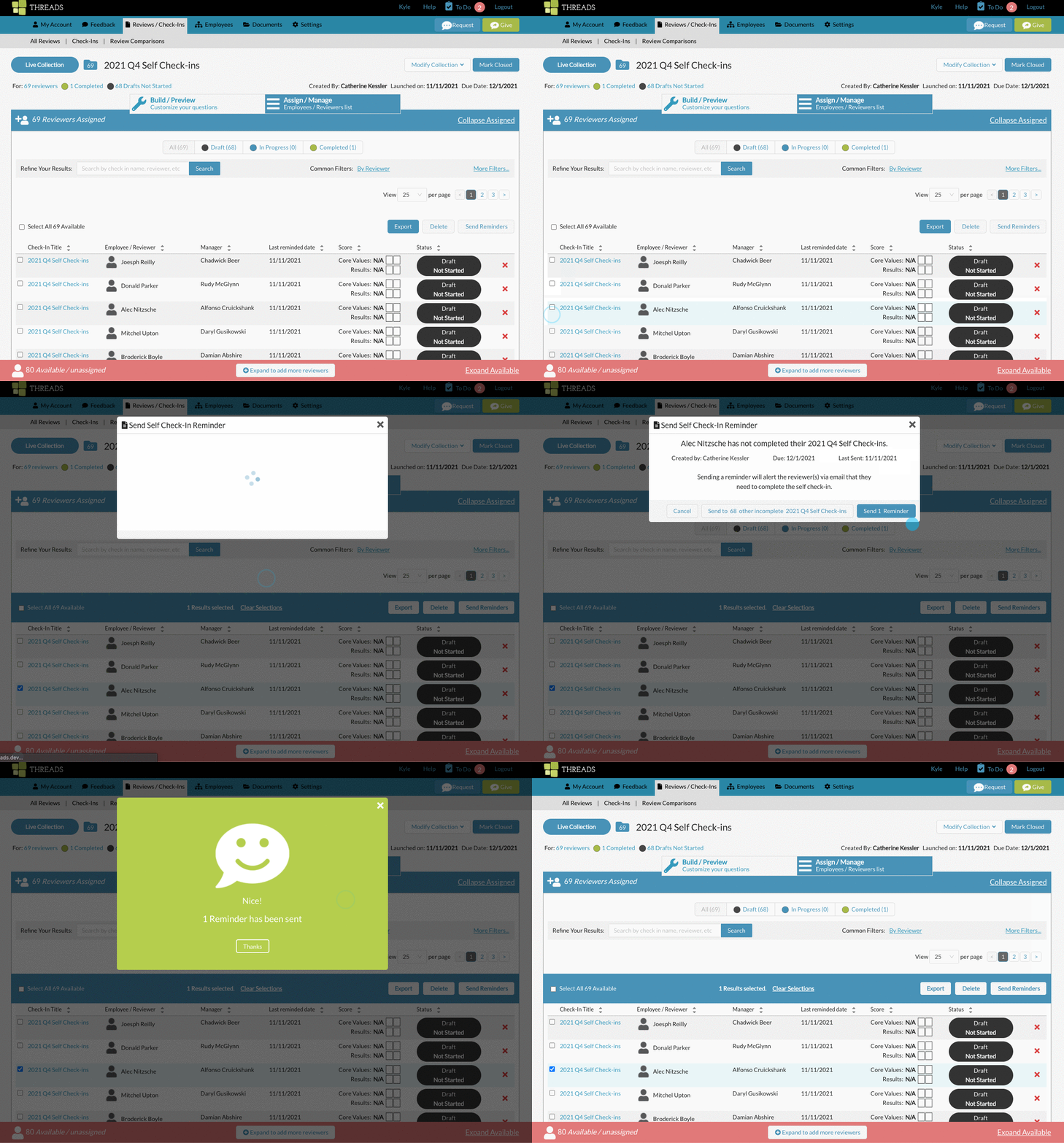
Send just one reminder to someone with an incomplete self check-in.
Click the checkbox next to the check in you want to send a reminder for, then click "Send Reminder".
0 Comments