As an admin, you can accept a review on behalf of an employee.
Once the review has been "Released", the acceptance area appears within the review under the "Review Data" tab.
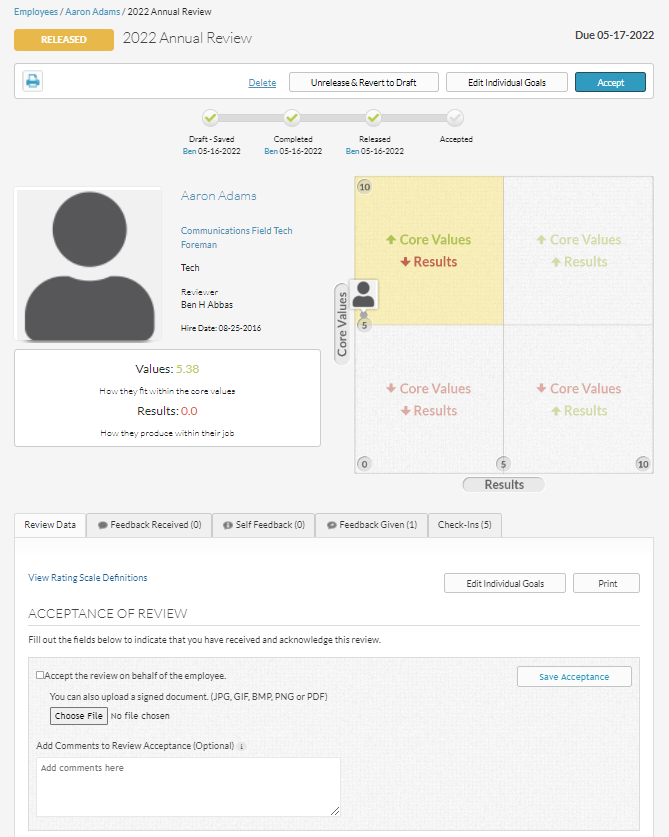
You can upload a signed printed version of the review if you like by selecting "Choose file" and uploading.
You can also add any comments to the acceptance in the text box.
To accept, check the checkbox on the left of the copy "Accept the review on behalf of the employee" and then select the "Save Acceptance" button on the right.
CONGRATS! The review is now COMPLETE!
As an admin, you can undo acceptance if needed for anyone in your organization. This action is only accessible by admin users. Once the review has been accepted, a "Undo Acceptance" link appears in the review form and at the top of the review.

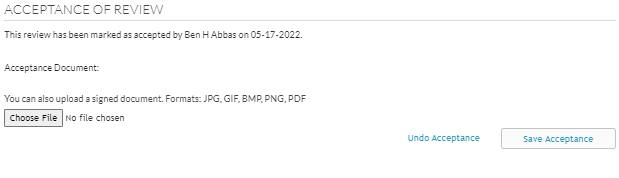
Undoing Acceptance takes the review back to the draft stage and can be edited, completed and released by the manager again. All content that was entered during the draft status will remain!
To see what types of email notifications are sent out about reviews, go to Email Notifications / Review Emails / Comment Emails
0 Comments