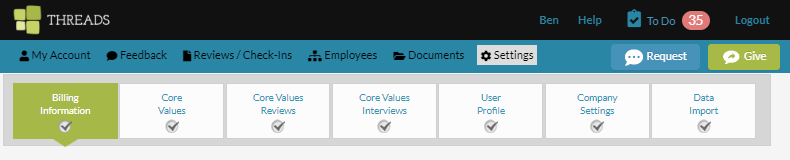
Only users with the Admin permission level can update the payment profile associated with the Threads Culture subscription. To edit your payment profile, click on "Settings" in the main navigation. Then select the BILLING INFORMATION tab.
You are able to update or edit your mailing and billing addresses as well as credit card information. When complete click the "SAVE CHANGES" button.
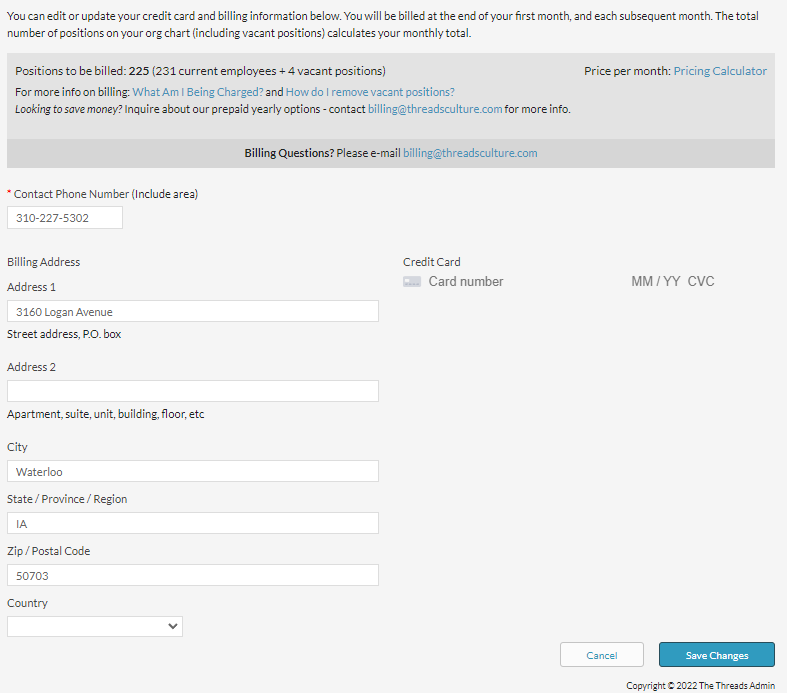
If the payment information was successfully updated you will receive a success message at the top of the screen. Use the back arrows on your browser to return to Threads software.
Please contact us at support@threadsculture.com with any questions.
0 Comments