As a manager, to view your job description, click on "My Account" within the main navigation.
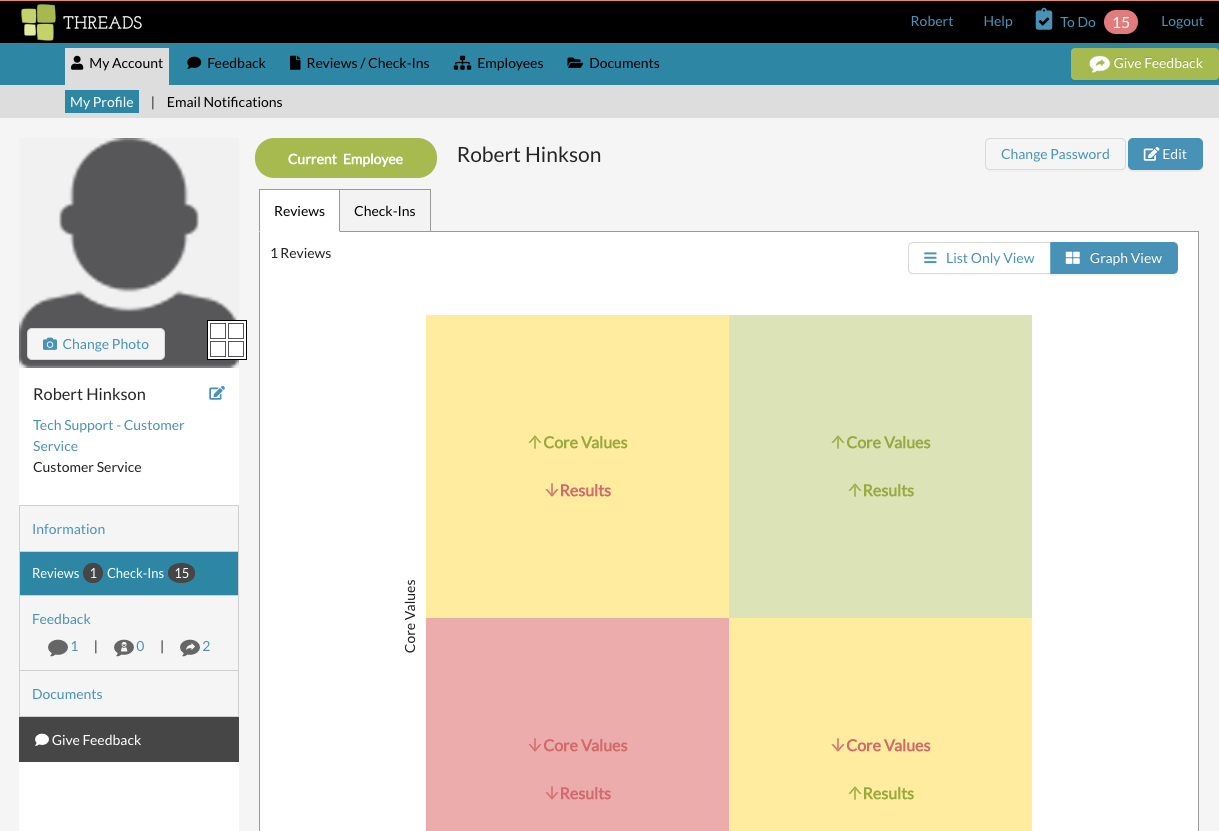
Under your name, select your job title.

This will open your job description in a new tab and allows you to either print or save the PDF version of your job description.

Summary & Requirements
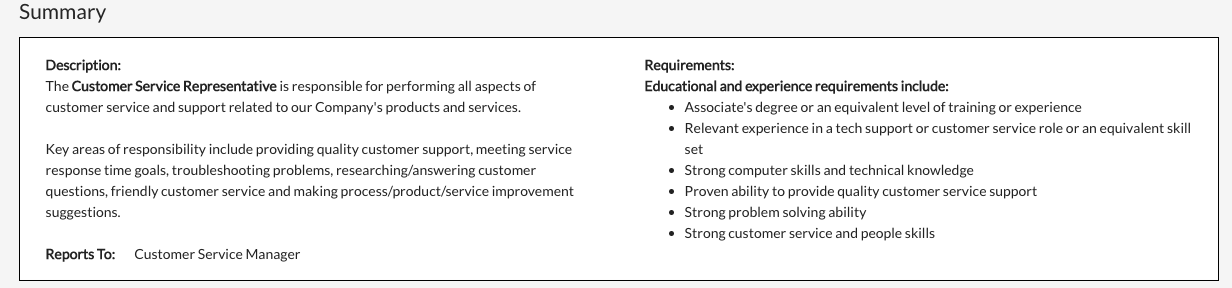
Each job description has summary information that contains items such as department, a short introduction and who the person in this job title reports to. Requirements from the job title such as experience or education also display. Here's an example below:
Key Responsibilities: Results
Part one of the Key Responsibilities section are the results that are specific to your job title. The categories and the bullets show you what you will be scored on during your review. There is also an assigned weight to each category.

Scoring high on these results criteria that are listed will measure how far over to the right hand side (vertical) of the Threads graph you will be placed after your review is scored. See the graph example below:

Key Responsibilities: Core Values
Part two of the Key Responsibilities section are the core values that apply to everyone in your organization. The specific core value and the bullets show you what you will be scored on during your review. There is also an assigned weight to each core value.

Scoring high on these core values criteria that are listed will measure how high up (vertical) to the top of the Threads graph you will be placed after your review is scored. See the graph example again below:

If you feel like something isn't correct in your job description, contact your manager or administrator for Threads.
0 Comments