Interview Criteria for job specific questions, lives within each job description.
*There is also Core Values specific Interview Criteria that applies to each applicant across the organization and can be edited within Company Settings under "Core Values Interviews". See article "Core Values Interviews" for more information.
This article will focus on editing interview criteria specific to a job description.
As an admin user, open a job description to edit the interview criteria. Go to "Documents" in the main navigation and select “Job Descriptions” from the sub navigation. Select the job description name to begin editing.
The “Interview Criteria” tab allows you to set the results that employees interviewing or applying for this job will be measured against in their interviews. Data entered under the “Interview Criteria” tab will be associated with this job title, but will only be used for the Interview Forms in Threads.
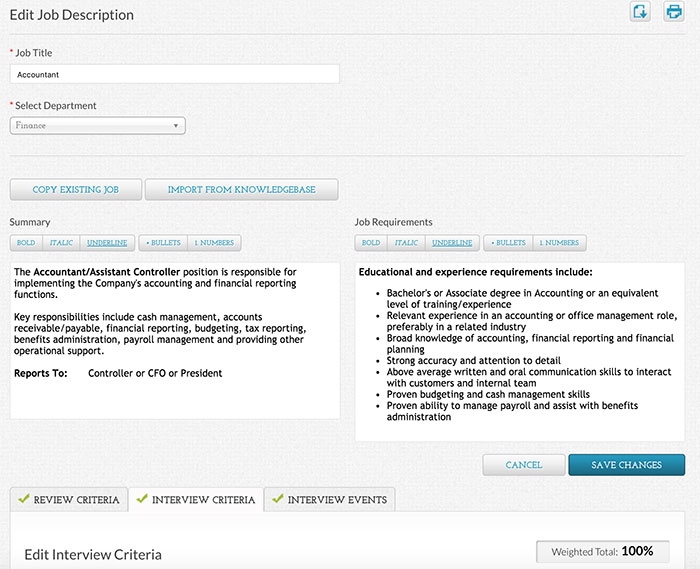
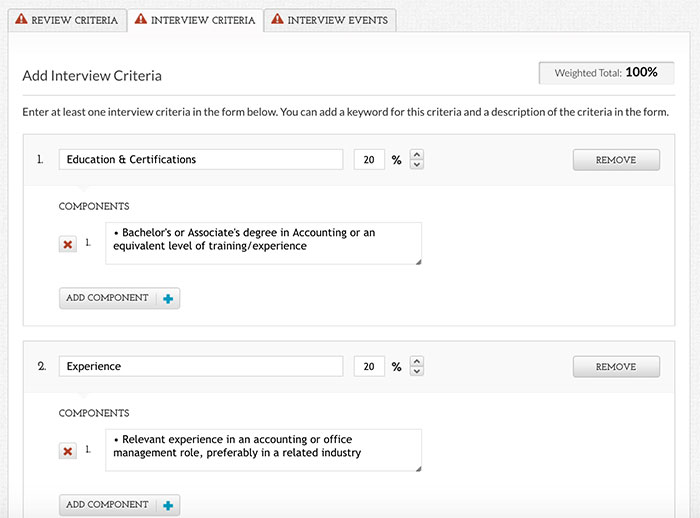
Each Interview Criteria Title has a weighted percentage associated with it that you can adjust as you see fit. Just make sure all “Interview Criteria” total to 100%. You can add or remove both Criteria sections and components.
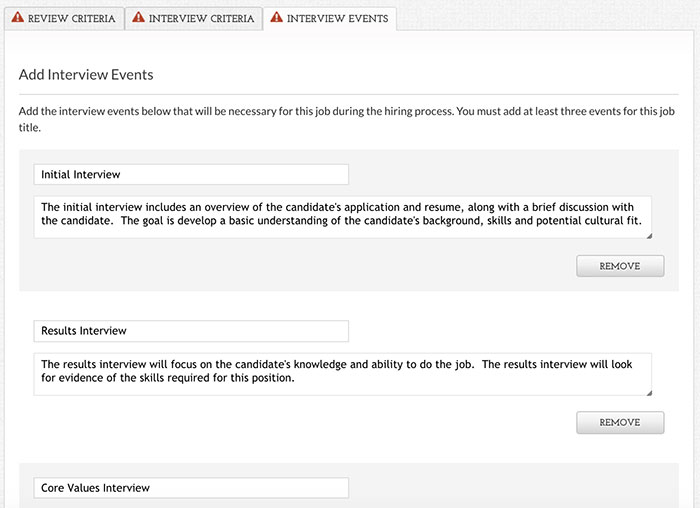
The “Interview Events” tab allows you to set the title and number of interview events required to hire someone new into this Job Title. Setting Interview Events will allow you to assign and track which employees conducted each stage of the interview process for each applicant. You can add or remove event types, but you must have at least three.
0 Comments