As an admin user, you can edit reviews in bulk. Begin by going to "Reviews" in the main navigation.

You can only mass edit reviews that are in “Draft” status.

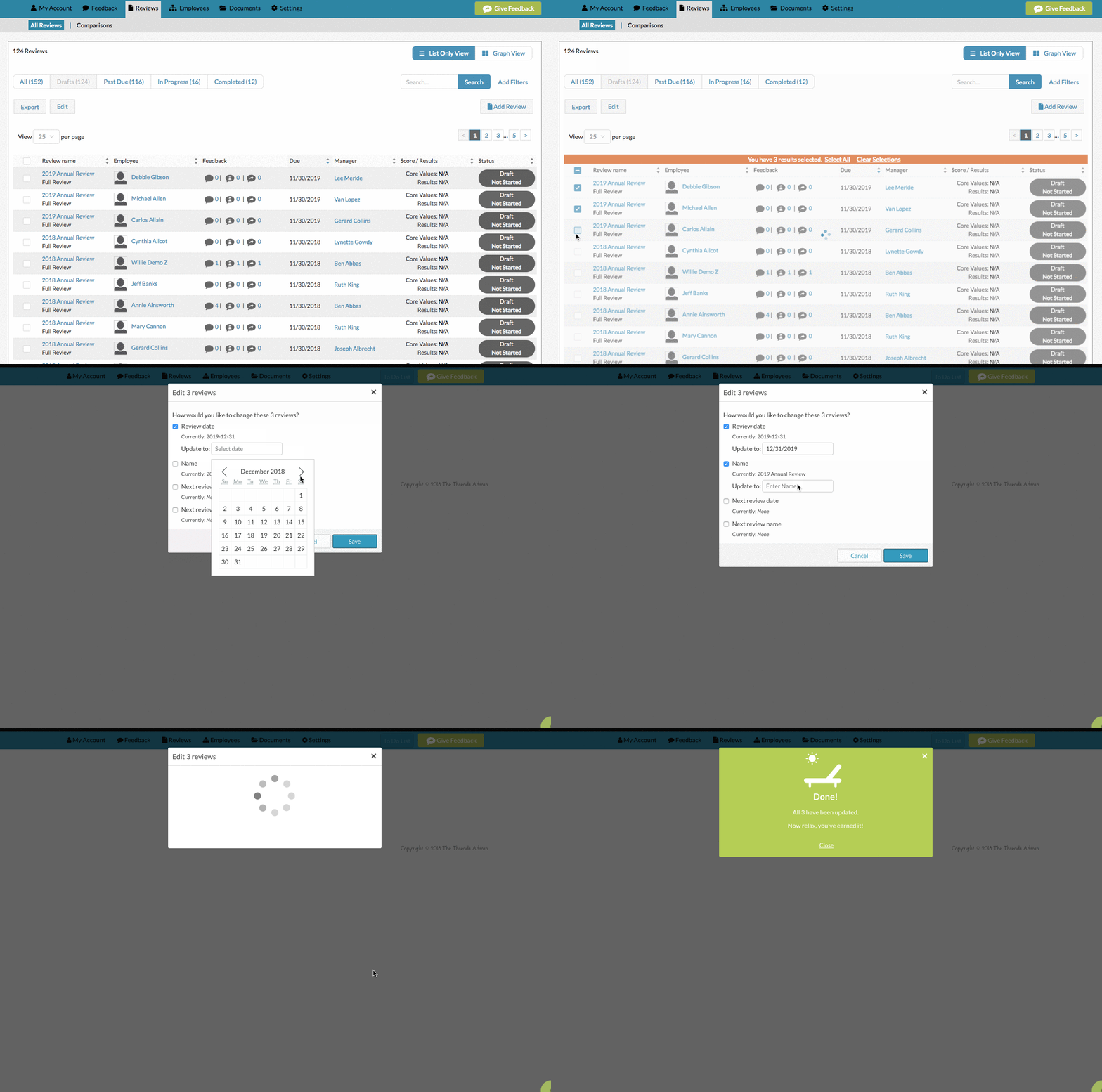
Once you have only draft reviews displaying, select all the reviews you would like to update and click the “Edit” button at the top of the review list. The following fields can be edited for reviews: review date, review title, next review date, next review title.
0 Comments